
Ekinetto (えきねっと, also written Eki-net) is JR East's own website for booking trains. If you are riding the Shinkansen north or west of Tokyo, to Sendai, Aomori, Akita, Yamagata, Niigata, Nagano or Kanazawa, this is where the seats are sold. It is also where you get the cheapest regular fare, because Ekinetto's 新幹線eチケット (shinkansen ī-chiketto, Shinkansen e-ticket) costs 200 yen less per reserved seat than a paper ticket from the station.
This guide walks through a booking from start to finish, as JR East's own pages describe it. We checked every step, price and rule on JR East's sites on October 22, 2026. Fares and rules change, so check the links at the bottom before you travel.
Ekinetto or JR-EAST Train Reservation: which site?
Ekinetto comes in two versions, both run by JR East on eki-net.com:
- えきねっと at www.eki-net.com, in Japanese, for people who live in Japan. It also lets you pay at a konbini and file advance requests (more on those below).
- JR-EAST Train Reservation at eki-net.com/en/jreast-train-reservation, for visitors. It is in English, traditional and simplified Chinese, Korean, Thai, Indonesian, French, German and Spanish. You can buy single tickets, buy JR East rail passes, and reserve seats on a pass you already have.
The English site cannot reserve seats on the national Japan Rail Pass; its own top page says so. It covers JR East's rail passes instead.
Both versions sell Shinkansen e-tickets that you ride with an IC card, so pick the language you can read. The steps below follow the English site.
What Ekinetto does not cover
Ekinetto e-tickets work on JR East's Shinkansen lines: Tohoku and Hokkaido (Tokyo to Sendai, Aomori and Hakodate), Akita, Yamagata, Joetsu (to Niigata) and Hokuriku (to Nagano, Kanazawa and Tsuruga). The Tokaido Shinkansen from Tokyo to Kyoto and Osaka is run by JR Central, which sells its own e-tickets through smartEX. If your trip is Tokyo to Kyoto, Ekinetto is the wrong site.
Step 1: Become a member
On the top page, press Become a member. Membership is free. You need an email address and a credit card that supports 3D Secure, the extra check your bank runs when you pay online. Ekinetto's payment page says cards without 3D Secure cannot be registered or used.
You can sign up and book from home before you fly. JR East's site does warn that buying with passports from some countries has failed since 2022; if your purchase will not go through, it suggests trying again once you are in Japan.
Step 2: Search for your train
Press Purchase tickets, then Search by Station. Enter your departure and arrival stations, the date, a departure or arrival time, and the number of passengers, then press Search.
If your trip needs a change of trains, search for each train on its own.
Step 3: Choose a train and a seat type
The results list every train you can book. Pick one, choose the seat type and press Select:
- 普通車指定席 (futsūsha shiteiseki): a reserved seat in a standard car. This is what most people book.
- グリーン車 (gurīn-sha): Green Car, the wider first-class seats.
- グランクラス (guran kurasu): Gran Class, the premium car on some trains.
Step 4: Choose an e-ticket or a paper ticket
This is the most important choice in the booking:
- Buy Shinkansen e-ticket: you ride with an IC card such as Suica, PASMO or Welcome Suica Mobile. No ticket to collect, and it is the cheaper option.
- Buy tickets: a paper ticket that you collect at a station before boarding.
Then choose your seat position and how to pay, check the details and confirm.
Step 5: Link your IC card (e-ticket only)
On the Reservation complete screen, press Set an IC card using my reservation history. Enter the IC card number and name for each traveler, then link the cards to the seats, either automatically or one by one.
A few rules from JR East:
- Every passenger needs their own IC card. One booking holds up to 6 people. Adult tickets need adult cards and child tickets need child cards.
- Link the cards at least 4 minutes before departure, and you need an internet connection to do it.
- You can come back and link or change a card later, from your reservation history.
- If you link a plastic Suica and then move it into the Mobile Suica app on your phone, its card number changes and the gate will reject it. Update the number in your booking.
A confirmation email alone will not get you on the train.
Step 6: Tap through the gate and board
With an e-ticket, tap the linked card on the 新幹線改札 (shinkansen kaisatsu, Shinkansen ticket gate) and walk to your car. The fare was paid when you booked, so nothing is taken from the card's balance.
If you enter from a regular JR line first, use the same card the whole way: one card takes you through the regular gate and the Shinkansen transfer gate. You do need at least the minimum fare loaded on it to pass the regular gate.
With a paper ticket, collect it first at a 指定席券売機 (shiteiseki kenbaiki), the reserved seat ticket machine found at JR East stations. Insert the credit card you paid with, or scan the QR code from your reservation complete screen, and the machine prints your tickets.
What it costs
An Ekinetto e-ticket price is the base fare and the Shinkansen express charge together. From JR East's price sheet for the Hayabusa, standard reserved seat, regular season, for tickets bought from March 14, 2026, one way, one adult:
| Route | E-ticket price |
|---|---|
| Tokyo to Sendai | 11,430 yen |
| Tokyo to Morioka | 15,250 yen |
| Tokyo to Shin-Aomori | 17,910 yen |
| Tokyo to Shin-Hakodate-Hokuto | 24,000 yen |
The express part costs 400 yen more in the peak season and 200 yen more in the busy season, and 200 yen less in the quiet season. A child's express charge is half the adult one.
Discount tickets: トクだ値 (Tokudane)
Ekinetto members can buy トクだ値 (tokudane) e-tickets on chosen trains and seats for less. The catch: only a set number of seats is sold, you must ride the exact train, and if you miss it, the express part of the ticket is void. Changing the booking loses the discount unless a Tokudane seat is still for sale on the new train.
Right now JR East is selling トクだ値スペシャル28 (Tokudane Special 28): 50% off Shinkansen trains in the JR East, JR Hokkaido and JR West areas on weekdays from December 7 to 17, 2026, booked by 11:50 p.m. at least 28 days before you ride. Seats are limited, so check early.
When seats go on sale
Reserved seats go on sale one month before the travel date at 10:00 a.m. Japan time. For a train on August 13, sales open July 13 at 10:00.
Japanese Ekinetto also has 事前受付 (jizen uketsuke, advance requests). From 2:00 p.m. one month and one week before the travel date (on the same weekday), you can file a request with up to three choices. Ekinetto tries to book it the moment sales open, so you don't have to be online at 10:00. This is the best way to get seats for Golden Week, Obon or New Year. It does not work for trips that include JR Central, JR Shikoku or JR Kyushu lines.
You can book on the day itself, up to 4 minutes before an e-ticket train leaves (6 minutes for a paper ticket).
The site takes bookings, changes and refunds from 5:00 a.m. to 11:50 p.m. and 0:10 a.m. to 1:50 a.m. Japan time. It is closed for maintenance the rest of the night.
Changes and refunds
For most trips that stay on JR East and JR Hokkaido lines or the Hokuriku Shinkansen, Ekinetto lets you change your train as many times as you like, up to three months after the original travel date. JR East calls this えきねっと特典 (ekinetto tokuten).
A refund on a regular e-ticket costs 320 yen per reserved seat. Tokudane tickets also cost 320 yen to refund when the trip qualifies for the Ekinetto benefit; otherwise the fee is a share of the price, at least 560 yen.
Coming soon: JRE GO
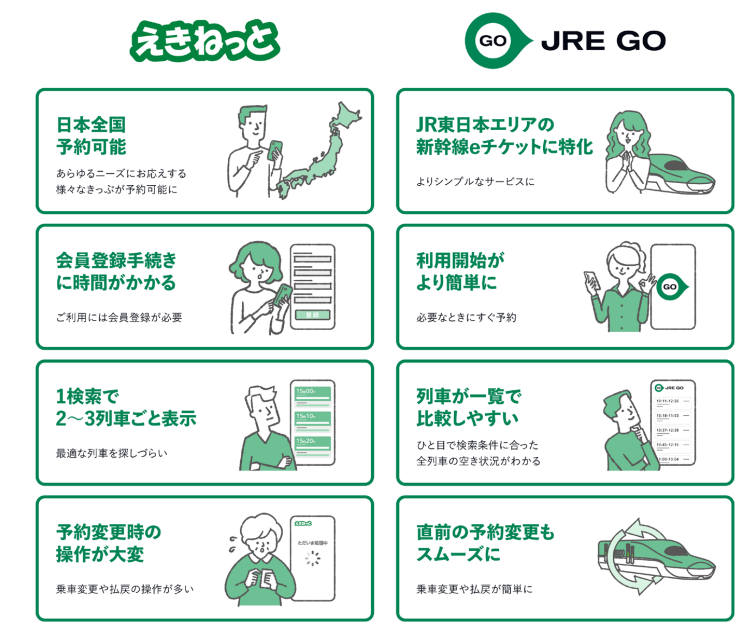
JR East is building JRE GO, a new app that it says will book a Shinkansen seat in about a minute. Its trial started in April 2026 and the full launch is planned for fall 2026. Ekinetto keeps running alongside it. Read more in our post on JRE GO, JR East's 1-minute Shinkansen booking app.
Japanese words you'll see on Ekinetto
The English site translates the menus, but the station, the ticket machine and your emails often use these words.
| Japanese | Reading | Romaji | Meaning |
|---|---|---|---|
| 予約 | よやく | yoyaku | reservation, booking |
| 指定席 | していせき | shiteiseki | reserved seat |
| 自由席 | じゆうせき | jiyūseki | non-reserved seat |
| 満席 | まんせき | manseki | fully booked |
| 乗車日 | じょうしゃび | jōshabi | travel date |
| 発売 | はつばい | hatsubai | going on sale |
| 紐づけ | ひもづけ | himozuke | linking (your IC card to a seat) |
| 改札 | かいさつ | kaisatsu | ticket gate |
| 払い戻し | はらいもどし | haraimodoshi | refund |
| 窓側 / 通路側 | まどがわ / つうろがわ | madogawa / tsūrogawa | window side / aisle side |
One useful sentence
If a station machine stumps you, ask the staff at the ticket office:
えきねっとで予約したきっぷを受け取りたいんですが。
Ekinetto de yoyaku shita kippu o uketoritai n desu ga.
"I'd like to pick up a ticket I booked on Ekinetto."
The ending 〜たいんですが (~tai n desu ga) turns "I want to" into a polite request. It works at any counter in Japan.
Before you go
Our Japanese travel phrases cover the station, the Shinkansen ticket office, the konbini and the hotel desk, with kana and romaji for each phrase.
Sources, all checked on October 22, 2026: JR East's Shinkansen e-ticket page, its English booking guide and IC card guide, the advance request rules, the booking hours, the refund fees and the Tokudane page.